Picture this.
Your new search campaign is live. The “engines” are on. You see a few clicks. Maybe one or two weak leads.
But it does not feel like much is happening yet.
Most business owners start to worry right here. They ask, how long does Google Ads take to work and think about turning things off before the plane ever leaves the runway.
In this guide, we will walk through:
-
The real Google Ads ramp up time
-
The three main PPC campaign stages in your first 90 days
-
What is normal, what is a red flag, and how to speed things up
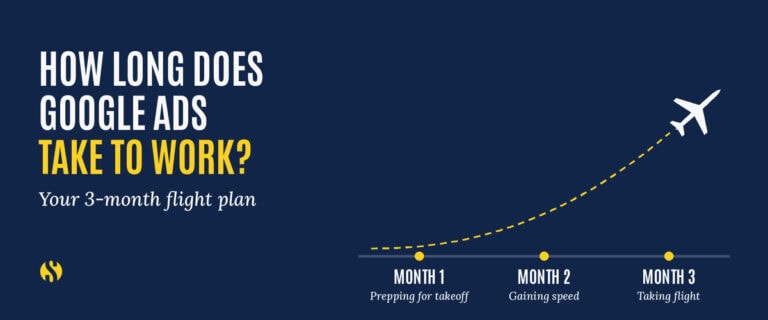
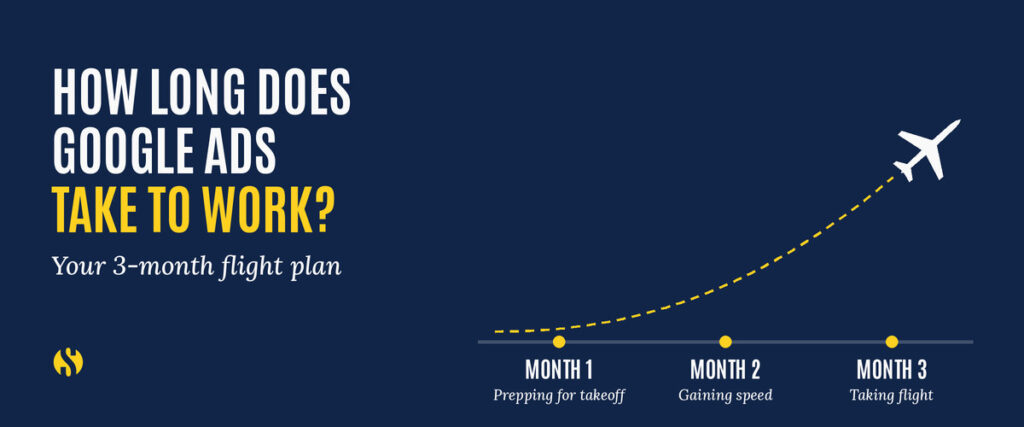
We will use a simple picture: a plane taking off.
Month 1 is “prepping for takeoff.”
Month 2 is “gaining speed.”
Month 3 is “taking flight.”
If you know what should happen in each stage, you can stop guessing and start managing your ads like a pro.
Quick answer: how long does Google Ads really take?
Let us start simple.
Most advertisers can see clicks within a few hours of launch. You may even get early leads in the first week.
But every major study of Google Ads ramp up time says the same thing:
-
The Google Ads learning phase usually lasts from about one to four weeks, while the system tests who to show your ads to.
-
Most campaigns need about 2 to 3 months to feel stable and profitable.
-
Many agencies say it takes at least 3 months to mature a campaign and 4 to 12 months to fully optimize it.
So here is the short answer to how long does Google Ads take to work:
Plan on a full 90 days before you judge if a search campaign is healthy or not.
You can and should look at early signals before that. But if you pull the plug at week 3, you are judging the plane while it is still rolling down the runway.
Now let us look at why there is a ramp up at all.
Why Google Ads needs a ramp up period
Google Ads is not a vending machine. It is more like a brand new salesperson.
When you hire a new sales rep, you know they need:
-
Training on your product
-
Time to have real conversations
-
Feedback on what is working and what is not
You would not fire that rep after three days because they did not close ten deals.
Google Ads works the same way.
Behind the scenes, Google is running thousands of tiny tests.
It is asking questions like:
-
Which search terms are likely to turn into real leads?
-
Which devices and locations respond best?
-
What time of day people click and convert?
This test period is called the Google Ads learning phase.
During the learning phase:
-
Performance jumps around
-
Cost per click can be high
-
Some clicks are bad fits, and that is normal
Google’s own help docs say that smart bidding usually needs around 50 conversions or a few “conversion cycles” to really dial in.
If you make big changes to your bids, budgets, or targeting, you reset this learning clock. That is like changing your salesperson’s pitch every day and then wondering why they are not getting better.
So the first rule of Google Ads ramp up time is simple:
Respect the learning phase. Do not panic. Do not rebuild the whole account every few days.
With that in mind, let us walk through the three PPC campaign stages in your first 90 days.
Month 1: Prepping for takeoff
In Month 1, your campaign is on the runway and the engines are warming up.
You are not flying yet. You are building a safe, strong plane.
What is happening in Month 1
On the technical side, Month 1 includes:
-
Setting up the campaign structure and ad groups
-
Installing and testing conversion tracking for forms, calls, and key actions
-
Writing first versions of your ads
-
Launching a starting keyword list and match types
-
Watching the first real search terms that trigger your ads
Google is in the Google Ads learning phase here. It is testing lots of combinations to see what works.
You can expect:
-
Impressions and clicks within a few days
-
Cost per click that might feel high at first
-
A few early leads that may not be your dream customers yet
The first month is mostly about data collection, not perfect ROI.
What your team should be doing
During Month 1, a good PPC manager or agency is:
-
Checking that every form, phone call, and chat is tracked correctly
-
Reviewing search term reports and adding negative keywords
-
Fixing obvious mismatches, like totally wrong locations or industries
-
Making small, careful tweaks to bids and ads
They are not:
-
Rewriting the whole campaign every three days
-
Turning off keywords after ten clicks
-
Judging success only by profit in week 1
How to judge success in Month 1
Instead of asking “Are we making money yet,” ask:
-
Are we getting real clicks from the right kinds of searches
-
Are leads, even if few, at least in the ballpark of our ideal customer
-
Is tracking clean so we trust the data
If the answer to those is yes, your campaign is doing what Month 1 is supposed to do.
Month 2: Gaining speed
By Month 2, your plane is racing down the runway.
You can feel the wheels getting light.
This is where most of the Google Ads learning phase is complete and the algorithm has a clearer picture of what works.
What is happening in Month 2
On the account side, Month 2 is all about sharpening.
You now have enough data to:
-
See which keywords are driving conversions and which are just burning cash
-
Spot ads with high click through rates and ads that get ignored
-
Understand which devices, locations, or times of day bring better leads
Many accounts start to see steadier lead flow and lower cost per lead in this window. Several real world timelines show strong improvements around weeks 4 to 6 and meaningful results within the first 2 to 3 months.
What your team should be doing
In Month 2, your PPC team should:
-
Pause or bid down poor keywords
-
Add more negative keywords to cut waste
-
Test new ad copy and extensions based on what people are actually searching
-
Start simple landing page tests, like tweaking headlines and calls to action
-
Adjust bids or targets for devices, age groups, or locations that do better
This is where you see the payoff from not panicking in Month 1.
What you should expect
At this stage, it is fair to expect:
-
Higher click through rates than in Month 1
-
More consistent conversions week to week
-
Early signs of a cost per lead trend that looks better
You are still in a PPC campaign stage where learning happens, so some swings are normal. But you should see movement in the right direction.
Month 3: Taking flight
Month 3 is where most campaigns “lift off.”
You are in the air and the flight path is clear.
You will still adjust, but now you are adjusting from strength, not guesswork.
What is happening in Month 3
By now, your account has about 60 to 90 days of data.
Most agencies and Google Ads pros agree that this is when a healthy campaign hits its stride and many reach stable or positive ROI.
At this point you should know:
-
Your best performing keywords and match types
-
Ad messages that pull the right clicks
-
Which landing page versions convert the strongest
-
Roughly what your cost per lead range should be
The Google Ads learning phase for your main settings is over. Now you move into ongoing optimization.
Scaling and the “budget ceiling”
You can also start to carefully raise your budget.
But here is a key idea from your plane graphic: the “ad spend budget ceiling.”
This is the point where:
-
You are already capturing most of the good searches in your target
-
Extra budget starts to pick up lower intent searches
-
Cost per lead goes up faster than the number of leads
In other words, you should scale, but you should not expect that doubling your budget will always double your leads.
Good Month 3 work often looks like this:
-
Raise budget in small steps, then watch results for a week or two
-
Shift more budget to your best campaigns and ad groups
-
Keep trimming weak parts so more of your spend flows to winners
A quick story
We worked with a service company that almost quit at day 30.
Month 1 looked messy. Leads were slow and a bit random.
In Month 2, we tightened their search terms, dialed in ad copy, and tested a cleaner landing page. Cost per lead dropped, but not yet to goal.
They agreed to ride out the full 90 days.
In Month 3, we had enough data to optimize every ad and ad group. We put more budget into the main campaign that was quietly performing.
By the end of Month 3, they had so many leads they were booked out for 8+ weeks.
That is what “taking flight” looks like.
What happens after Month 3
So is everything “done” after 90 days?
Not quite.
Most sources say campaigns continue to improve for another 4 to 12 months as you test deeper and layer on more tools.
After Month 3, you can:
-
Build remarketing campaigns for people who visited but did not convert
-
Create customer match lists from your CRM
-
Test different offer types, like free guides, quotes, or low priced “foot in the door” services
-
Refine by device, age, income, and audience segments
You are moving from “getting it to work” to “making it excellent.”
But the core pattern does not change.
The same PPC campaign stages repeat when you launch a new campaign inside the account. The difference is that your whole account now has history, which makes new tests move faster.
What speeds up or slows down ramp up time
Now let us talk about the knobs you can control.
Things that speed up Google Ads ramp up time
You will help your campaign if you:
-
Have a clear, simple offer that matches search intent
-
Send traffic to a fast, mobile friendly landing page with one main call to action
-
Set a daily budget that buys enough clicks each day to feed the algorithm
-
Track real conversions such as form fills, calls that last more than 30 seconds, or scheduled appointments
-
Build on a solid account with some past data in your industry
When these pieces are in place, the time it takes for Google Ads take to work usually shrinks. Some campaigns see strong traction in 4 to 6 weeks.
Things that slow it down
On the flip side, your Google Ads ramp up time will drag out if:
-
Your budget is so small you only get a handful of clicks per day
-
Conversion tracking is broken or missing
-
Your website is slow or confusing on mobile
-
You change bids, budgets, and targeting every few days
-
You shut things off the moment you feel nervous
Remember, big changes reset the Google Ads learning phase. That is why many experts say to wait at least a week between large edits.
If you fix these issues, you are not just helping Google. You are helping your own future leads say “yes” more easily.
Simple 90 day checklist for your Google Ads campaign
Here is a quick checklist you can keep by your desk.
Before launch
Set one main goal: leads, sales, or calls
Install and test conversion tracking
Build at least two ads per ad group
Create starting negative keyword list
Confirm landing page speed and mobile friendliness
Weeks 1 to 4: Prepping for takeoff
Review search term reports 2 to 3 times per week
Add negatives for bad matches
Fix any tracking or form issues right away
Watch lead quality, not just volume
Avoid major structural changes unless something is clearly broken
Weeks 5 to 8: Gaining speed
Pause weak keywords and ad groups
Test at least one new ad variation per ad group
Start basic landing page tests
Adjust device and location bids based on results
Share early wins and learnings with your team
Weeks 9 to 12: Taking flight
Identify your best campaigns and ad groups
Shift more budget to what works
Raise total budget in careful steps if cost per lead is healthy
Plan remarketing and other next layer campaigns
Decide on long term KPIs and reporting rhythm
Use this checklist to keep your head clear when emotions rise. It keeps you focused on the right actions in each of the PPC campaign stages.
FAQ: Common questions about Google Ads ramp up time
1. How long should I run a new Google Ads campaign before judging it?
In most cases, plan on at least 90 days. The first month is data gathering, the second is sharpening, and the third is where many campaigns hit consistent performance.
2. What is the Google Ads learning phase?
The Google Ads learning phase is the period when the system is testing who to show your ads to, at what bids, and in what situations. It usually lasts one to four weeks, and big changes can restart it.
3. How much budget do I need for a healthy ramp up?
There is no one number, but you want enough daily budget to buy several dozen clicks per day at your expected cost per click. Tiny budgets stretch Google Ads ramp up time because it takes so long to gather data.
4. What should I look at in the first month if not ROI?
Focus on:
-
Search terms: are they relevant
-
Lead quality: are any leads a good fit
-
Tracking: is every lead being recorded
These are better early signals than pure profit.
5. How often should I change my Google Ads campaigns?
Avoid major changes more than once a week, especially in the first month. Many experts recommend waiting at least 7 days after a big edit so you do not keep resetting the Google Ads learning phase.
6. Is Google Ads or SEO faster for getting leads?
Google Ads is usually faster, because you can start getting clicks within days. But meaningful results for both SEO and PPC still take weeks and months. Many strong marketing plans use both together.
7. What happens if I pause my campaign during ramp up?
Short pauses of a few days are fine. Long pauses can cause the system to “forget” patterns and may put you back into a softer learning stage when you restart.
8. How long should I run an ad or landing page test?
For most small businesses, run a test until you have at least a few hundred clicks and a good number of conversions per version. Often this takes 2 to 4 weeks, depending on your traffic.
9. Does account history change ramp up time?
Yes. If your account already has solid history in your industry, new campaigns can ramp up faster because Google has past data to lean on. Brand new accounts tend to take longer.
10. Do I ever reach a point where I can “set and forget” Google Ads?
Not really. Even after the main PPC campaign stages, markets shift, competitors change bids, and new search terms appear. You can reduce how often you make big changes, but ongoing care is part of running profitable ads.
Want help making your Google Ads campaign actually fly?
If you are tired of guessing at how long does Google Ads take to work, you are not alone.
Most business owners feel the same way: they want clear expectations, honest reporting, and a plan for each stage of the journey.
That is why we send a short, practical marketing email on a regular basis. Inside you will find:
-
Real examples from campaigns in industries like yours
-
Simple explanations of changes in Google, SEO, and PPC
-
Checklists and playbooks you can hand to your team
If you would like that kind of guidance in your inbox, use the form on this page to join our newsletter today.
Until next time, God be with you.
JOIN OUR NEWSLETTER
"*" indicates required fields
Enjoy content from Strategy Marketing? Make us one of your preferred sources on Google.