When potential customers find your website, they should be able to tell what you offer and how it will help them immediately. There are countless businesses in your industry with their own sites vying for your target audience’s attention, so first impressions are crucial. This doesn’t just mean that your site needs to be eye-catching, it also needs to provide an easy to use and engaging user experience. If potential customers have a difficult time navigating or understanding your site, they will instantly leave and you will have lost their business. Continue reading to learn how to improve the user experience design of your website and get visitors to convert.
Simplify Your Website Design
Keeping user experience (UX) designs simple is the best way to ensure visitors can easily navigate your site. For example, while you may want to include important information all over your site, doing so requires balance. If people land on a page with text taking over their screen, they are likely to leave the site in search of a less eye-straining webpage. Too much text can also make it difficult for visitors to know where to go on your site for their specific needs. To avoid this negative customer experience, make strategic use of white space on your site. This empty space not only gives your visitors’ eyes a break, but it can also help separate ideas and emphasize important information. Breaks in text, as well as other visual elements creates a sense of organization which is sure to boost your site’s customer experience.
Make Your Site Functional
Improving UX designs isn’t just about how your website looks, it’s also about how your site works. If visitors can’t easily navigate your site, they aren’t going to stick around to do business with you. In fact, if your site doesn’t load fast enough you are likely to lose potential customers. According to Backlinko’s analysis of 11.8 million Google search results, the average load speed of sites appearing on page one of Google was 1.65 seconds. That’s pretty fast, meaning your user experience design needs to load just as quickly if you want a spot on the first page of Google. Luckily there are a few ways you can do this. Start by compressing images used on your website. When image files are large, they take longer to load, so compressing them is a must to improve load speed.
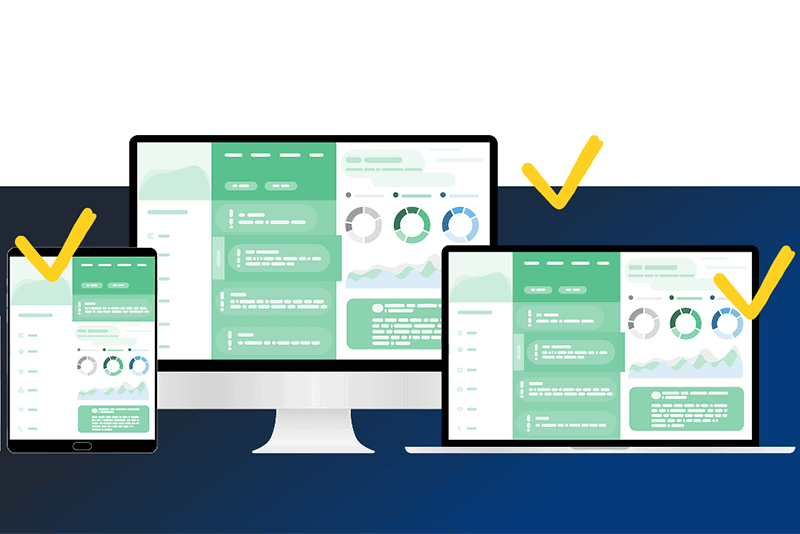
Website functionality also means visitors need to be able to view your site from any device. Responsiveness is vital to user experience design since people are likely to visit your website on desktops, tablets, and smaller mobile devices. If your website is cramped on mobile devices, visitors will have a difficult time using it. As a result, they’ll move on from your site. To avoid this, all aspects of your website design need to be able to adjust to various screen sizes. You should also avoid large chunks of text, place buttons in strategic locations, and optimize any forms for mobile devices.
Be Consistent
Your website can often be a visitor’s first impression of your business. While you do want to capture potential customers’ attention with amazing UX designs, you also need to ensure consistency across your entire site. Having different page layouts, fonts, colors, and more can confuse visitors to your website. Every web page should reflect your brand identity so no matter where on your site visitors land, they can get an accurate idea of who you are and what you do.
Follow Accessibility Guidelines
A great way to draw more visitors to your website is to make it accessible to everyone. Making your website ADA compliant allows visitors with various abilities and disabilities to use easily use your site. For example, providing alt text for images allows people who cannot see to still understand your site. Likewise using contrasting colors for text and backgrounds makes it easier for people with visual impairments to read about your business. These are just a few of the ways user experience can be improved by considering and implementing accessibility features.
Strategically Use Call to Action Buttons
Call to action (CTA) buttons are a vital part of your business and the sales funnel as they help potential customers turn into leads. First, these buttons need to be short and to the point, while also clearly explaining what will happen once a site visitor clicks on them. Where these CTA buttons go on your site is also a crucial part of user experience design. While your CTA button should be frequently displayed on your site, you don’t want to overwhelm visitors with notices to “Call now!” or “Click here!” If nothing else, place two CTA buttons on each page, one at the top and one at the bottom. If there’s another section on a page that makes sense to ask a customer to act, you can place a clearly marked button there too.
Ready to Upgrade Your Marketing and Drive Leads to Your Site?
Your website can be an amazing marketing tool so long as it is built to provide a positive user experience. To make this happen though, you need to be getting the right leads to your website. There are multiple marketing strategies you can use to make this happen. Sign up for our newsletter today and learn how to utilize proven marketing tactics to attract more business to your website.
Sign Up for Our Newsletter
"*" indicates required fields
Enjoy content from Strategy Marketing? Make us one of your preferred sources on Google.